Screenshots
App details
- Updated
- Dec 11, 2020
- Language
- English,Chinese
- Developer
- ToolRocket Studio
- Category
- Mobile
SoftPas in:
This product is also available in the following languages:
About ToolRocket Capture Screen Recorder
Free HD Screen Recording for Windows
Overview
ToolRocket Capture Screen Recorder is a lightweight, free desktop application designed for Windows 10, 8, and 7 users seeking a straightforward solution for recording screen activity. The software enables users to capture high-definition video of their computer screen, including system audio and microphone input, making it ideal for creating tutorials, documenting software workflows, or preserving online content. Its primary purpose is to simplify the screen recording process without requiring technical expertise or advanced configurations.
Target users include educators, content creators, remote support specialists, and students who need to produce clear, professional-grade recordings with minimal effort. The software supports recording desktop actions, live streams, web-based videos, and webcam footage when used in tandem with compatible hardware. Real-world applications range from instructional video creation to capturing gaming sessions with voice commentary. The developer did not provide additional background information beyond the software’s name and functionality.
Despite its simplicity, the tool maintains a focus on usability and customization, allowing users to tailor recordings to specific needs. It is particularly suited for individuals who require a no-frills, reliable screen capture utility without the overhead of complex features or subscription models. The absence of in-app purchases or watermarks aligns with its free distribution model.
Key Features & Capabilities
- HD Screen Recording – Capture full-screen or custom-defined areas of the desktop with high video quality. Ideal for creating detailed tutorials, software demonstrations, or recording online webinars.
- Audio Capture Options – Record system audio (desktop sounds) or microphone input independently, or simultaneously. Useful for adding voiceovers to instructional videos or capturing game commentary.
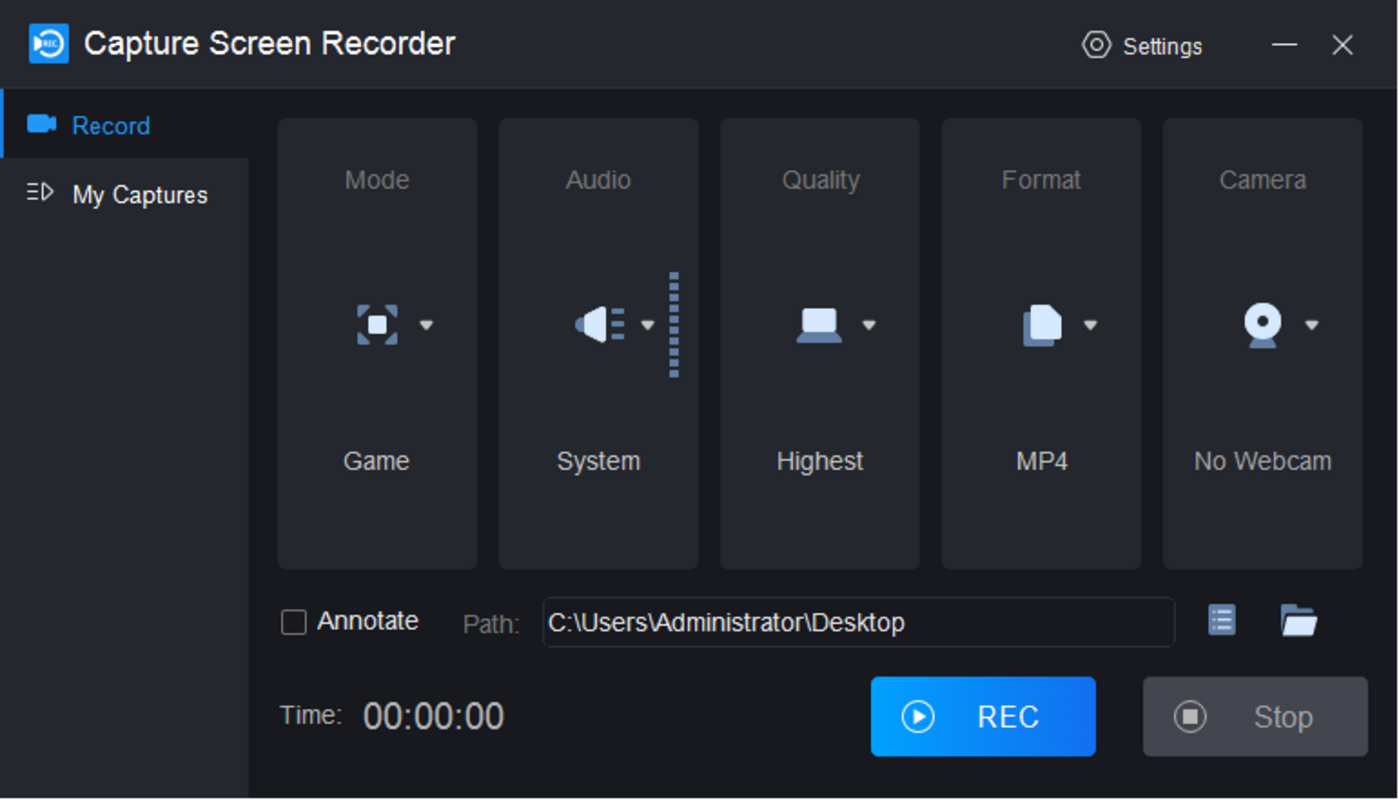
- Customizable Recording Settings – Adjust recording area, video resolution, frame rate, output format, and mouse cursor visibility. Ensures flexibility for various use cases and file size preferences.
- On-the-Fly Annotation Tools – Use built-in brush tools to draw, highlight, or circle elements during recording. Enhances clarity in training materials and instructional content.
- One-Click Recording – Launch the software and begin recording with a single click. The intuitive interface reduces setup time and supports rapid content creation.
These features collectively support efficient workflow creation, particularly for users who prioritize speed and clarity. For example, a teacher can record a step-by-step guide to a software tool while annotating key functions in real time, or a gamer can capture a gameplay session with voice commentary. The software’s focus on simplicity ensures that users can achieve professional results without extensive training.
User Interface, Workflow & Performance
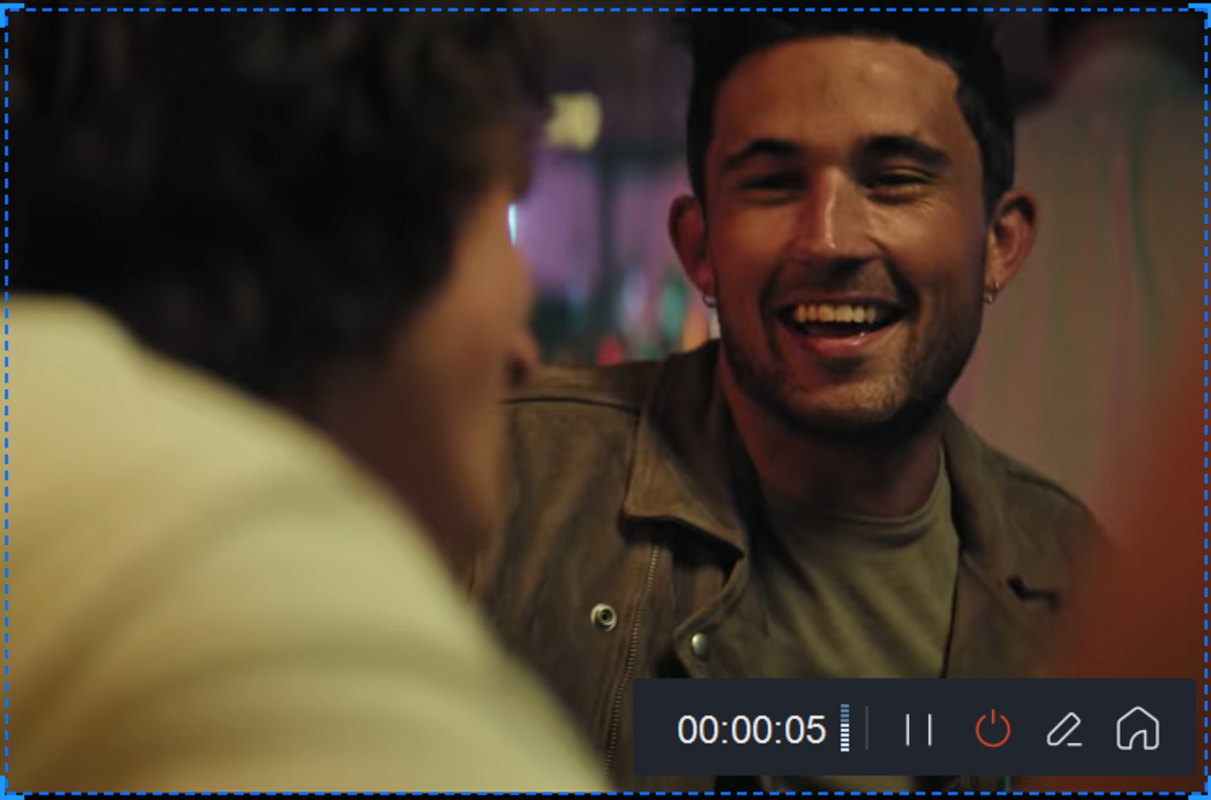
The user interface of ToolRocket Capture Screen Recorder is designed with minimalism in mind. It presents essential controls in a clean, uncluttered layout, reducing visual distractions and enabling quick access to core functions. Navigation is straightforward, with clearly labeled buttons for starting, pausing, and stopping recordings. The main window displays a preview of the selected recording area, enhancing precision during setup.
Workflow efficiency is a strong point. Users can initiate a recording in seconds after launching the application. The software does not require complex configuration before use, which benefits beginners and time-sensitive users alike. The one-click operation supports rapid content generation, making it suitable for spontaneous recording needs.
Performance details were not specified by the developer. However, the application’s file size of 10.4 MB suggests a lightweight footprint, which typically correlates with low resource consumption. The developer did not provide information on CPU or RAM usage during recording. General software behavior patterns indicate that such tools usually operate efficiently on modern Windows systems, but actual performance may vary based on hardware and recording settings.
Compatibility & System Requirements
ToolRocket Capture Screen Recorder is compatible with Windows 10, Windows 8, and Windows 7, making it accessible to a broad range of users still operating on older or legacy systems. The software is available in version 2.0.1 and has a file size of 10.4 MB, indicating a compact installation package.
Exact system requirements were not listed. The developer did not specify minimum CPU, RAM, or graphics card specifications. Compatibility information is limited to the operating systems mentioned. Users are advised to ensure their system meets general Windows application standards for smooth operation. The absence of detailed hardware requirements means that performance may depend on individual system configurations.
Pros and Cons
Pros
- Free to download and use with no hidden costs or watermarks
- Lightweight design with minimal system resource usage
- Simple, intuitive interface suitable for beginners
- Supports HD screen recording with audio capture
- Offers customizable recording settings and on-the-fly annotations
Cons
- No information on minimum system requirements
- Only available for Windows platforms
- Exact performance metrics not provided
- Limited to desktop and webcam recording (no mobile or cloud integration)
FAQ Section
Is ToolRocket Capture Screen Recorder free to use?
Yes, the software is completely free to download and use. There are no subscription fees, in-app purchases, or watermark restrictions.
Which Windows versions are supported?
ToolRocket Capture Screen Recorder is compatible with Windows 10, Windows 8, and Windows 7.
Can I record both screen and microphone audio at the same time?
Yes, the software allows users to record system audio and microphone input simultaneously, which is useful for adding voice commentary to screen recordings.
Does the software require an internet connection?
While the software can be used offline after installation, an internet connection is required for downloading the application. No online features or data uploads are mentioned in the provided information.
How often are updates released?
The current version is 2.0.1, released on June 10, 2024. The frequency of future updates was not specified by the developer.
Final Thoughts + CTA
ToolRocket Capture Screen Recorder delivers a focused, no-nonsense solution for users seeking a reliable way to record screen activity on Windows. Its combination of HD recording, flexible audio options, and intuitive workflow makes it a compelling choice for educators, content creators, and professionals who need to produce clear, engaging video content quickly. The absence of cost, complex features, or system demands enhances its accessibility.
While detailed technical specifications are limited, the software’s lightweight nature and straightforward design suggest strong performance on standard systems. For users who value simplicity and efficiency without sacrificing quality, this tool stands out as a solid option in the free screen recording space.
Download ToolRocket Capture Screen Recorder now
Guides & Tutorials
How to install ToolRocket Capture Screen Recorder
- Click the Download button above.
- Once redirected, accept the terms and click Install.
- Wait for the ToolRocket Capture Screen Recorder download to finish on your device.
How to use ToolRocket Capture Screen Recorder
This software is primarily used for its core features described above. Open the app after installation to explore its capabilities.
User Reviews
No reviews yet. Be the first to share your experience.
You may also like
more
Que no te pillen¡
About !Que no te pillen¡Reviewed by Jason A. BilbreyShow MoreShow Less

3D Combat Zone
About 3D Combat ZoneOriginally released in 1983, 3D Combat Zone immerses players...

666: El día del portal
About 666: El día del portalOn June 6, 2006, Agent P. Stone uncovers a sinister...

80 in 1 Best Flash games
About 80 in 1 Best Flash games 80 in 1 Best Flash games is a collection of 80 fl...

ABYSS SEEKERーーWhat Do You See Deep in The Abyss
About ABYSS SEEKERーーWhat Do You See Deep in The AbyssIn ABYSS SEEKER, players...

ACA NEOGEO THE KING OF FIGHTERS 2002 for Windows
About ACA NEOGEO THE KING OF FIGHTERS 2002 for WindowsTHE KING OF FIGHTERS 2002,...